
Brand di Hack Club
Hack Club deve sempre essere scritto come Hack Club, non hackclub / Hackclub / HackClub / hackClub
Lo stesso vale per Hack Clubber o Hack Clubbers. Non si scrive mai hackclubbers o Hackclubbers
Importante / non deve sfuggire a nessuno che stia progettando un adesivo: tutti i design degli adesivi devono contenere il testo Hack Club da qualche parte nel design. Può essere discreto, ma "Hack Club" deve comparire da qualche parte nel design
I nostri loghi.
Ecco i file ufficiali dei loghi di Hack Club. Offriamo i formati SVG, PNG o PDF. Evita di deformare, contornare o ricolorare i loghi.


Loghi di HCB
Materiali del brand di HCB.
HCB ha la sua identità. Scarica la versione chiara e quella scura qui.


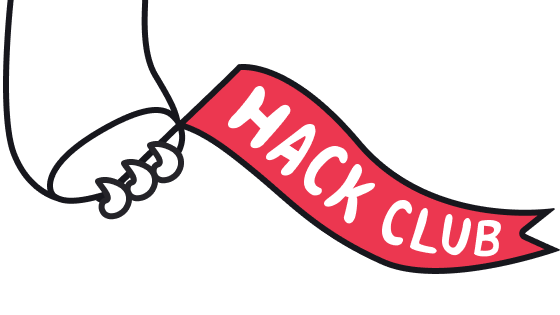
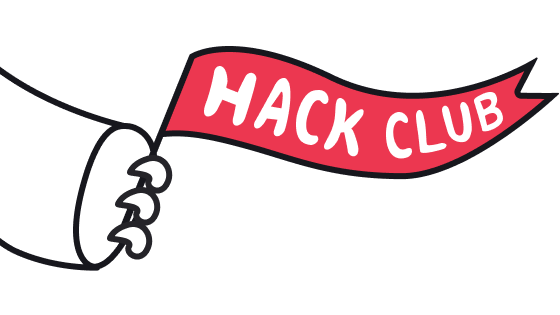







Banner HTML
Banner HTML pronti da inserire.
Usa questi frammenti di codice per inserire una bandiera di Hack Club sul tuo sito.
<a href="https://hackclub.com/"><img style="position: absolute; top: 0; left: 10px; border: 0; width: 256px; z-index: 999;" src="https://assets.hackclub.com/flag-orpheus-top.svg" alt="Hack Club"/></a>
<a href="https://hackclub.com/"><img style="position: absolute; top: 0; left: 10px; border: 0; width: 256px; z-index: 999;" src="https://assets.hackclub.com/flag-orpheus-left.svg" alt="Hack Club"/></a>

<a href="https://hackclub.com/"><img style="position: absolute; top: 0; left: 10px; border: 0; width: 256px; z-index: 999;" src="https://assets.hackclub.com/banners/2026.svg" alt="Hack Club"/></a>
Colore
La palette ufficiale.
Usa questi colori per il brand di Hack Club. Il rosso è il colore principale; gli altri sono accenti di supporto.
Rosso Hack Club
#ec3750Arancione
#ff8c37Giallo
#f1c40fVerde
#33d6a6Ciano
#5bc0deBlu
#338edaViola
#a633d6Attenuato
#8492a6Font
Phantom Sans è il font del nostro brand.
Usa Phantom Sans per i testi dei prodotti e per la UI. Il CSS del webfont è riportato di seguito solo per i siti HQ.
Phantom Sans
è il font del nostro brand.
CSS del webfont(clicca per espandere)(clicca per comprimere)
@font-face {
  font-family: 'Phantom Sans';
  src:
    url('https://assets.hackclub.com/fonts/Phantom_Sans_0.7/Regular.woff')
      format('woff'),
    url('https://assets.hackclub.com/fonts/Phantom_Sans_0.7/Regular.woff2')
      format('woff2');
  font-weight: normal;
  font-style: normal;
  font-display: swap;
}
@font-face {
  font-family: 'Phantom Sans';
  src:
    url('https://assets.hackclub.com/fonts/Phantom_Sans_0.7/Italic.woff')
      format('woff'),
    url('https://assets.hackclub.com/fonts/Phantom_Sans_0.7/Italic.woff2')
      format('woff2');
  font-weight: normal;
  font-style: italic;
  font-display: swap;
}
@font-face {
  font-family: 'Phantom Sans';
  src:
    url('https://assets.hackclub.com/fonts/Phantom_Sans_0.7/Bold.woff')
      format('woff'),
    url('https://assets.hackclub.com/fonts/Phantom_Sans_0.7/Bold.woff2')
      format('woff2');
  font-weight: bold;
  font-style: normal;
  font-display: swap;
}
Icone
Icone di Hack Club.
Abbiamo un set di icone personalizzato, pubblicato come @hackclub/icons.
 clubs
 bank-circle
 event-code
 home
 transactions
 bolt
 photo
 emoji
Componenti UI
Design system di Hack Club.
Usa il nostro design system, disponibile sotto forma di CSS e componenti UI pronti all'uso, per rendere il tuo sito bello quanto il nostro.